April 13, 2026

The FP&A reporting workflow is fragmenting.

Here is what we are seeing across finance teamsβ€”and where the bottlenecks moved.

Five years ago the FP&A reporting workflow was boring in the best way. Data warehouse. SQL. Excel. PowerPoint. Maybe think-cell if you had budget. Everyone knew the playbook.

That is not what we hear anymore.

Over the past year we have talked to 20+ FP&A teams (SaaS, fintech, e-commerce, marketplaces etc.) and the thing that stands out is how different everyone's setup has become. The old linear pipeline has splintered. Most teams we talk to are not 100% sure they have picked the right one, and some are running two or three workflows simultaneously without really meaning to.

What is driving it? The shifts have been layering on top of each other for years. First it was just Office. Excel and PowerPoint as the universal default. Then Google Workspace pulled a chunk of finance onto Sheets and Slides. Then came the dashboarding wave (Power BI, Looker) promising to be the single layer between data and decisions. Then vertical planning tools like Pigment got good enough that teams started modeling directly in the platform instead of in spreadsheets. And now LLMs are slowly eating away at the edges of all of it, writing SQL, generating visualizations, drafting narrative reports, making it harder to say where one tool's job ends and another's begins.

Each wave did not replace the last. It just added another option. Which is exactly why everyone's setup looks wildly different now.

Below we break down the workflows we have been encountering, where each one works well, and where they tend to fall apart. The goal is to give FP&A teams a clearer picture of what is out there so they can be more intentional about the workflow they run, rather than just inheriting what is already there.
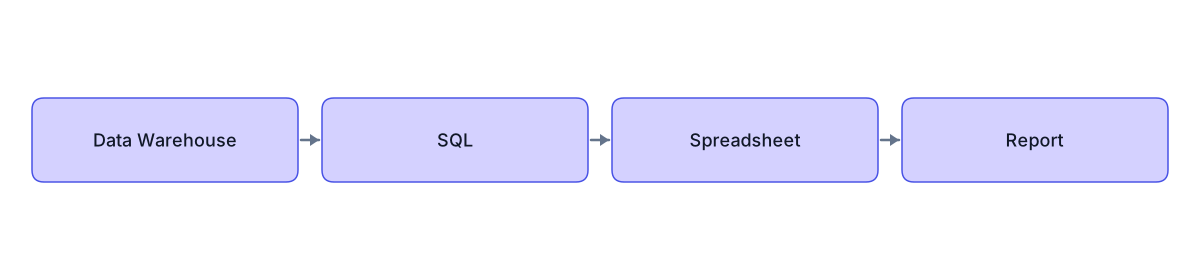
The classic: data warehouse β†’ SQL β†’ spreadsheet β†’ report

Flowchart: warehouse to SQL to spreadsheet to report

Still the most common setup, especially at companies with over 100 employees. Production data in a cloud data warehouse (Snowflake, BigQuery etc.) and someone writes SQL to pull what is needed. Results land in Google Sheets or Excel, get modeled and formatted, then turned into a report. That report might be a Google Slides deck, a PowerPoint, or increasingly just a well-structured document.

Flexibility is the big strength here. Every component is swappable. But that is also the downside: more steps, more software, more potential bottlenecks. And if your report ends up in Google Slides, you will hit a wall with the native charting pretty quickly. No waterfall charts, no mekko, limited formatting control. Chartbuddy can help there.

A common variation swaps manual SQL for Alteryx or a similar ETL tool. Same structure, but data extraction is scheduled rather than manual. Makes sense for fixed reporting cadences, though the tradeoff is cost and rigidity.

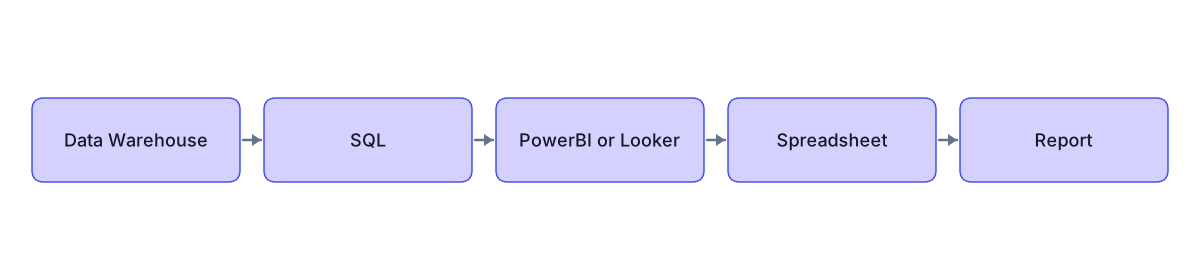
The dashboard detour: warehouse β†’ SQL β†’ Power BI/Looker β†’ spreadsheet β†’ report

Flowchart: warehouse through BI dashboard to spreadsheet and report

This is the one we have the strongest opinion on.

BI dashboards became the default handoff between data teams and finance teams for a good reason: finance teams could not pull their own data. SQL was a specialised skill. You needed someone technical to write queries, maintain data models, and put a visualization layer on top so finance could interact with the output.

That assumption is eroding fast. LLMs write SQL. Natural language interfaces let finance professionals query warehouses directly. Every quarter, the skill gap that justified the dashboarding layer gets a little smaller.

And the dashboard creates a real problem for reporting. Power BI charts look like Power BI charts: fonts sized for a browser, colors that clash with your deck, legends that do not fit. Looker has the same issue. Someone screenshots the dashboard, pastes it into a report, spends time per chart making it presentable. Or rebuilds from scratch.

Look, BI tools are excellent for monitoring and ad-hoc exploration. As a mandatory pass-through in the reporting pipeline though? In practice it often creates extra work: the export, the formatting etc. We believe this pattern's best days are behind it. Finance teams that can query their own data are starting to skip it, and their workflows are faster for it.

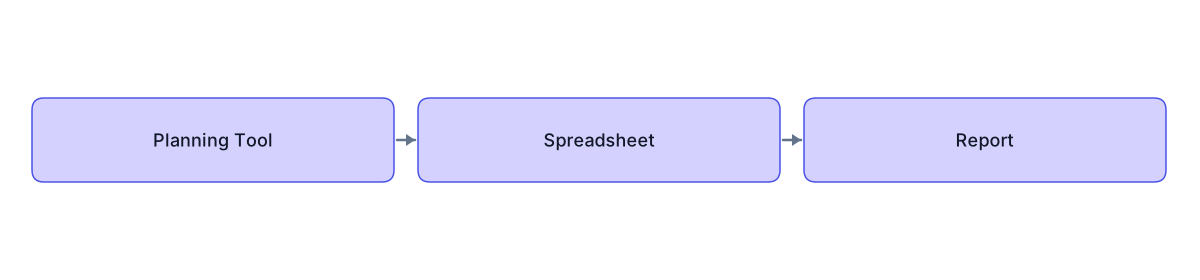
The planner: planning tool β†’ export β†’ spreadsheet β†’ report

Flowchart: planning tool export to spreadsheet and report

Teams on Pigment, Anaplan, or Adaptive follow a different starting point. The planning tool handles budgets, forecasts, scenarios, headcount. It is the system of record for forward-looking financials.

These tools do not float in isolation from the warehouse either. Pigment connects directly to Snowflake or BigQuery. You can SQL inside Pigment to pull in actuals, then model on top of them. The warehouse is still there, just abstracted away.

It is a powerful setup. Consolidates a lot of what would otherwise require separate tools and separate people into one platform. Fewer software licenses, fewer profiles involved, tighter feedback loops between planning and actuals.

The frustrating part is the last mile. The analysis is done. The outcomes are clear. The charts exist inside the platform. And then you spend a disproportionate amount of time getting those charts into a report format, because they just do not export cleanly. You are rebuilding work that has already been done, in a different tool.

Chartbuddy can help when the report is in Google Slides. Though honestly, for internal reporting and decision-making, the dashboards inside these planning tools are often presentation-ready enough on their own. The export problem really bites when you need external-facing output: board decks, investor updates, that kind of thing.

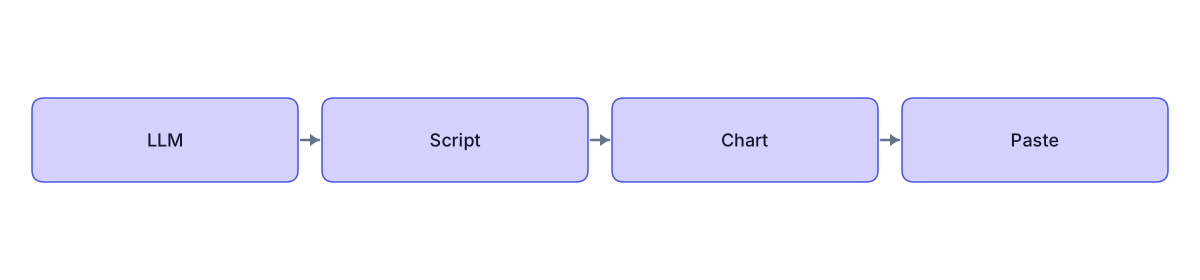
The quick & dirty: LLM β†’ script β†’ chart β†’ paste

Flowchart: LLM to script, chart, paste into deck

Less a workflow, more a behaviour pattern. Describe what you need in plain English to an LLM. "Monthly ARR by segment, stacked bar, last 8 quarters." It writes a Python script that queries your warehouse and renders a chart. Paste the output wherever.

We love this one. Especially for smaller teams and fast decision-making. Speed advantage is real and the barrier to entry is basically zero.

Repeatability is the weakness though. Outputs are non-deterministic, chart styling varies across runs, there is no version control. Fine when it is a one-off. But the moment you find yourself doing the same analysis a second or third time, it is a sign to migrate it into one of the more robust workflows above. Use the quick & dirty to explore. Use something else to report.

What makes this interesting beyond the ad-hoc use case: it is training finance professionals to interact with data directly. People who would never have opened a SQL editor are pulling data through natural language. That shift is reshaping every other workflow on this list. It already is.

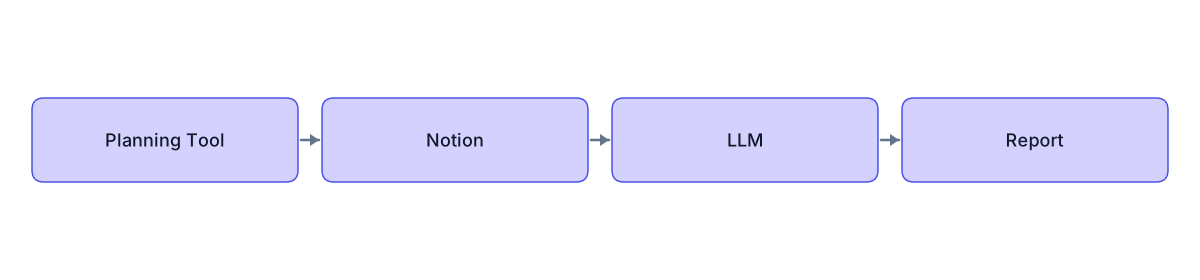
The document flow: same data, different endpoint

Flowchart: quantitative data plus qualitative context into LLM document output

Not a separate workflow. Just a different destination for the same data.

Take the quantitative output from any of the flows above (a scheduled SQL output, an export from Pigment, an ad-hoc query) and combine it with qualitative context from Notion, Google Docs, meeting notes etc. Feed both into an LLM. Get back a concise, structured document for decision-making.

There is a version of the future where this replaces the slide deck entirely. Jeff Bezos banned PowerPoint at Amazon years ago in favor of written memos, and that approach is spreading. A well-structured document with embedded data points forces clearer thinking than 40 slides ever will. And with LLMs handling the drafting, the time from "data is ready" to "report is ready" is collapsing.

We are genuinely not sure yet how far this goes. But we would not bet against it. That would not be good for Chartbuddy, but you win some, you lose some.

What we make of all this

The fragmentation is real and accelerating. Two years ago we could have written a single recommended workflow for 80% of teams. Now the right answer depends on your stack, your team's technical comfort, and what your deliverable actually is.

Analytically, the infrastructure is pretty much solved. Warehouses are fast. Planning tools are collaborative. LLMs are making data access democratic. The bottleneck has moved downstream, to the report itself.

What we find interesting is the split between the workflows that prioritize speed and the ones that prioritize repeatability. The quick & dirty and the document flow have essentially eliminated the last mile. The classic and the planner still struggle with it. Neither side is wrong, but it is a tradeoff worth being intentional about.

For teams on Google Workspace, Chartbuddy has a role to play in most of these workflows. Whenever the end product is a Slides deck with data-heavy charts, it fills the gap that Google Slides' native charting leaves wide open. That is what we are building.

If you are evaluating your own workflow, the most useful question probably is not "which tools should we use?" It is "where am I spending time on work that is not analysis?" The answer will point you to the part worth fixing.