What data gets removed
When you delete your Chartbuddy account, we permanently remove all your personal data and account information:
- Profile information and account settings
- Google OAuth tokens and permissions
- Usage logs and activity history
- Organization data (if you're the last member)
Important: Charts you've created in Google Slides presentations remain intact. Only your Chartbuddy account data is removed from our servers.
Before you delete
Please ensure you complete these requirements first:
-
Cancel active subscriptions
You cannot delete your account with an active paid subscription. Cancel it first. -
Transfer admin rights (if applicable)
If you're the only administrator of an organization with other users, transfer admin rights first.
How to delete your account
Step 1: Access profile settings
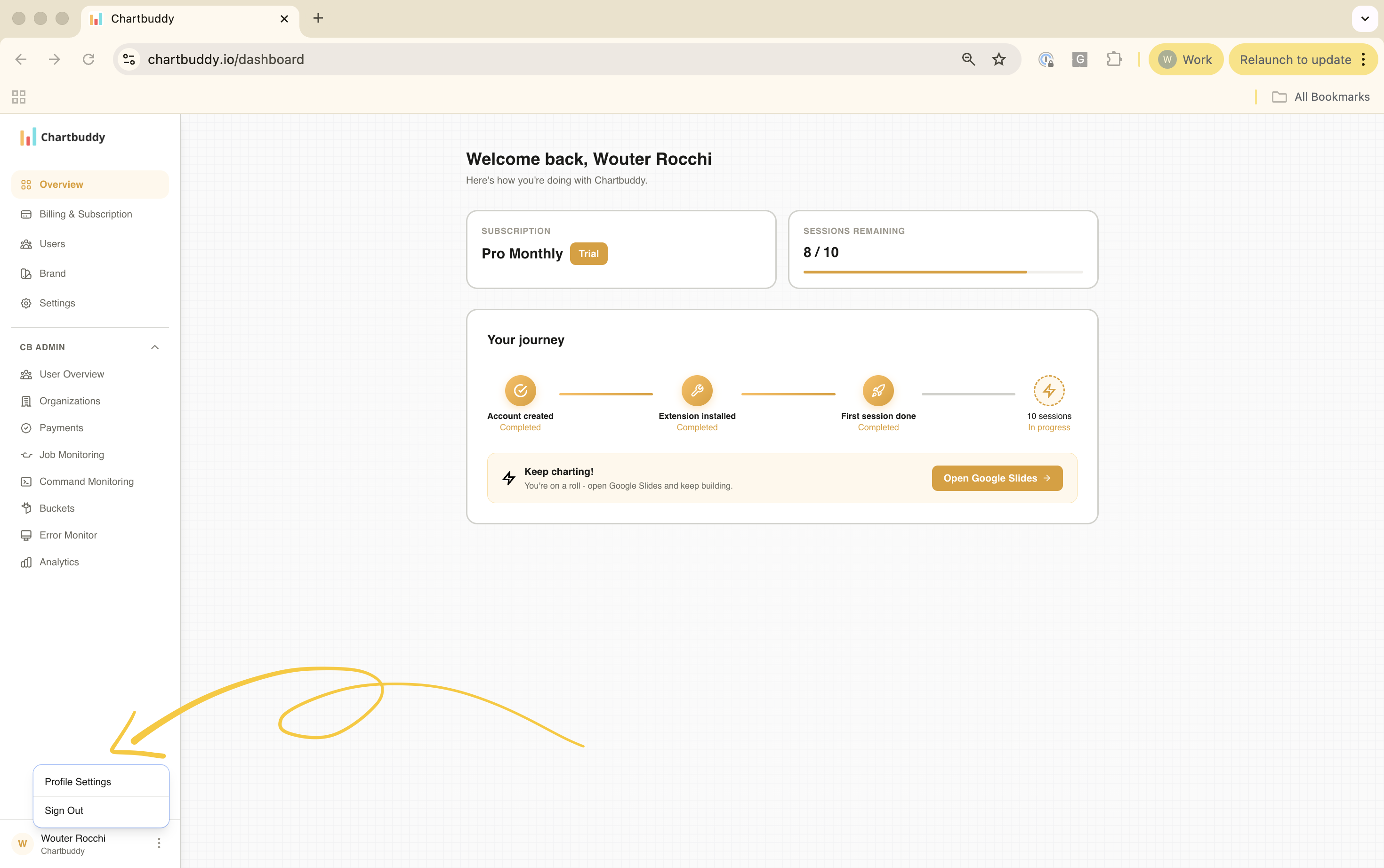
Log in to your Chartbuddy dashboard, then click the three dots menu at the bottom of the sidebar and select "Profile Settings".
Step 2: Delete your account
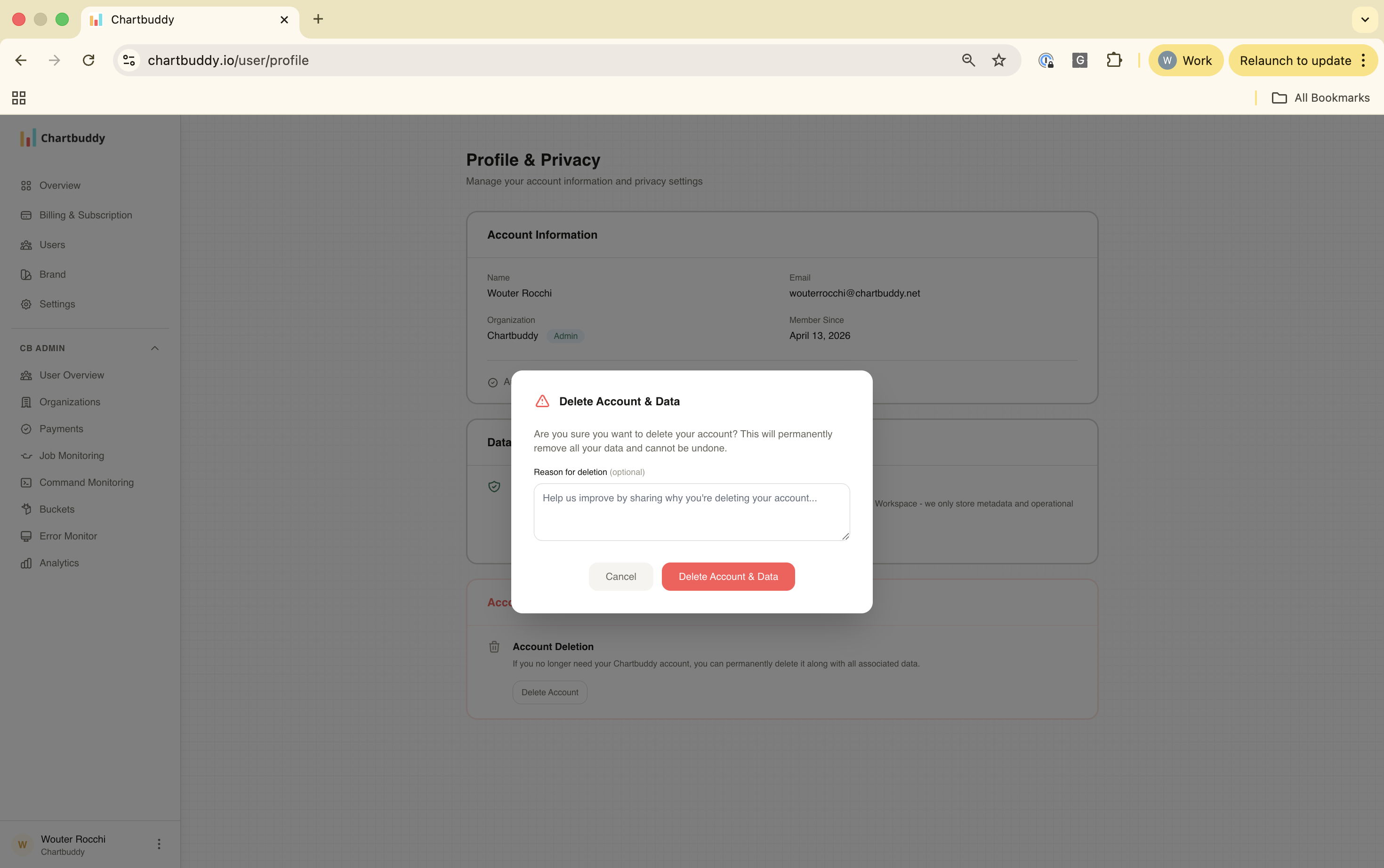
Scroll down to the "Account Deletion" section, click "Delete Account", and confirm your decision.
What happens after deletion
Immediate deactivation - Your account is immediately deactivated and you're logged out from all devices. OAuth tokens are revoked automatically.
Data removal within 24 hours - All personal data is permanently deleted from our servers. This process cannot be undone.
Your charts remain safe - Charts you've created in Google Slides remain intact and functional.
Need help?
If you have questions about account deletion or data removal, please contact our support team.