You can revoke Chartbuddy's access to your Google Slides presentations at any time. This removes our ability to interact with your presentations, whether you're completing a project, addressing security concerns, or simply no longer using the service.
How to revoke access
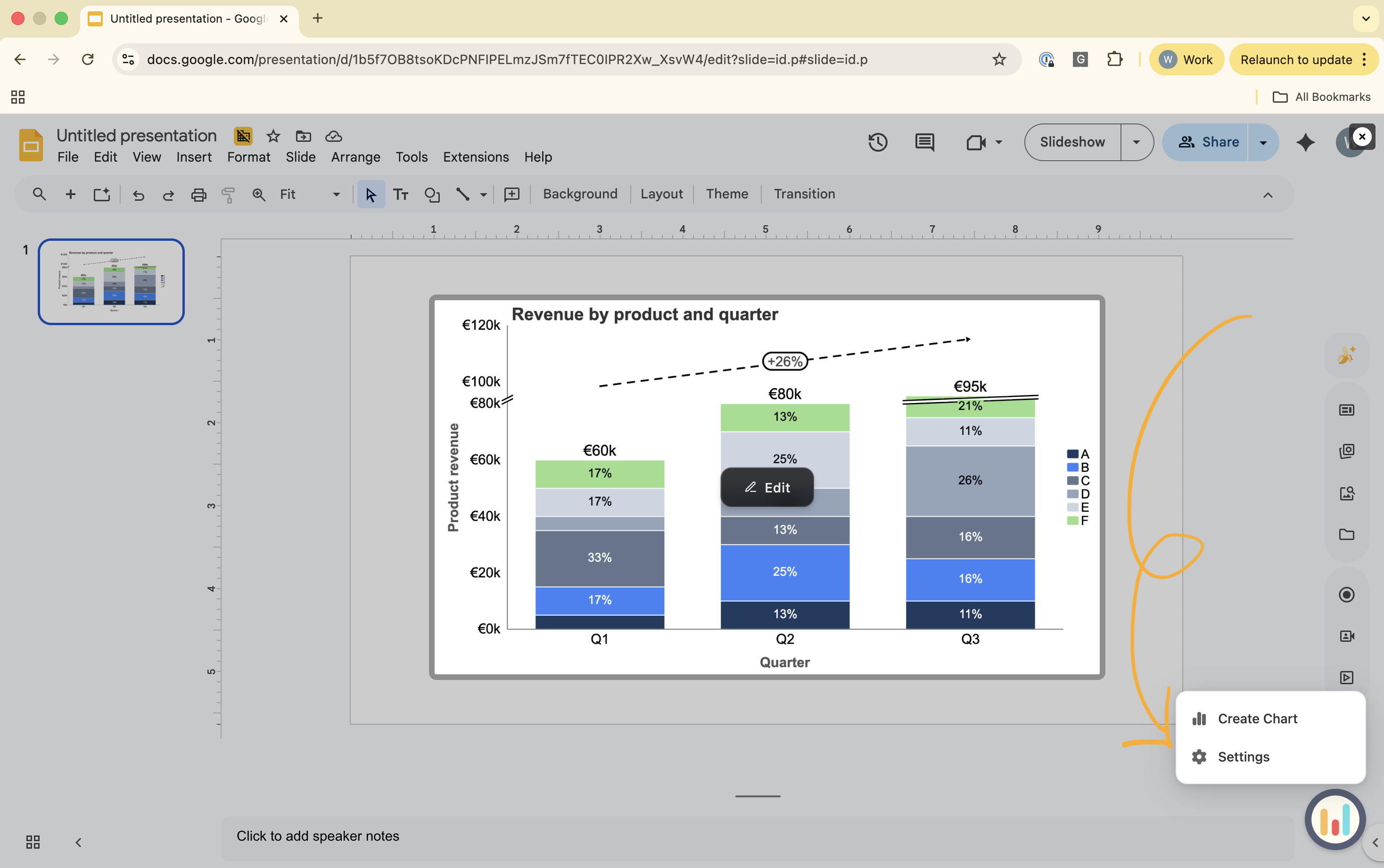
Step 1: Open the settings tab
In the Chartbuddy sidebar, navigate to the settings tab.
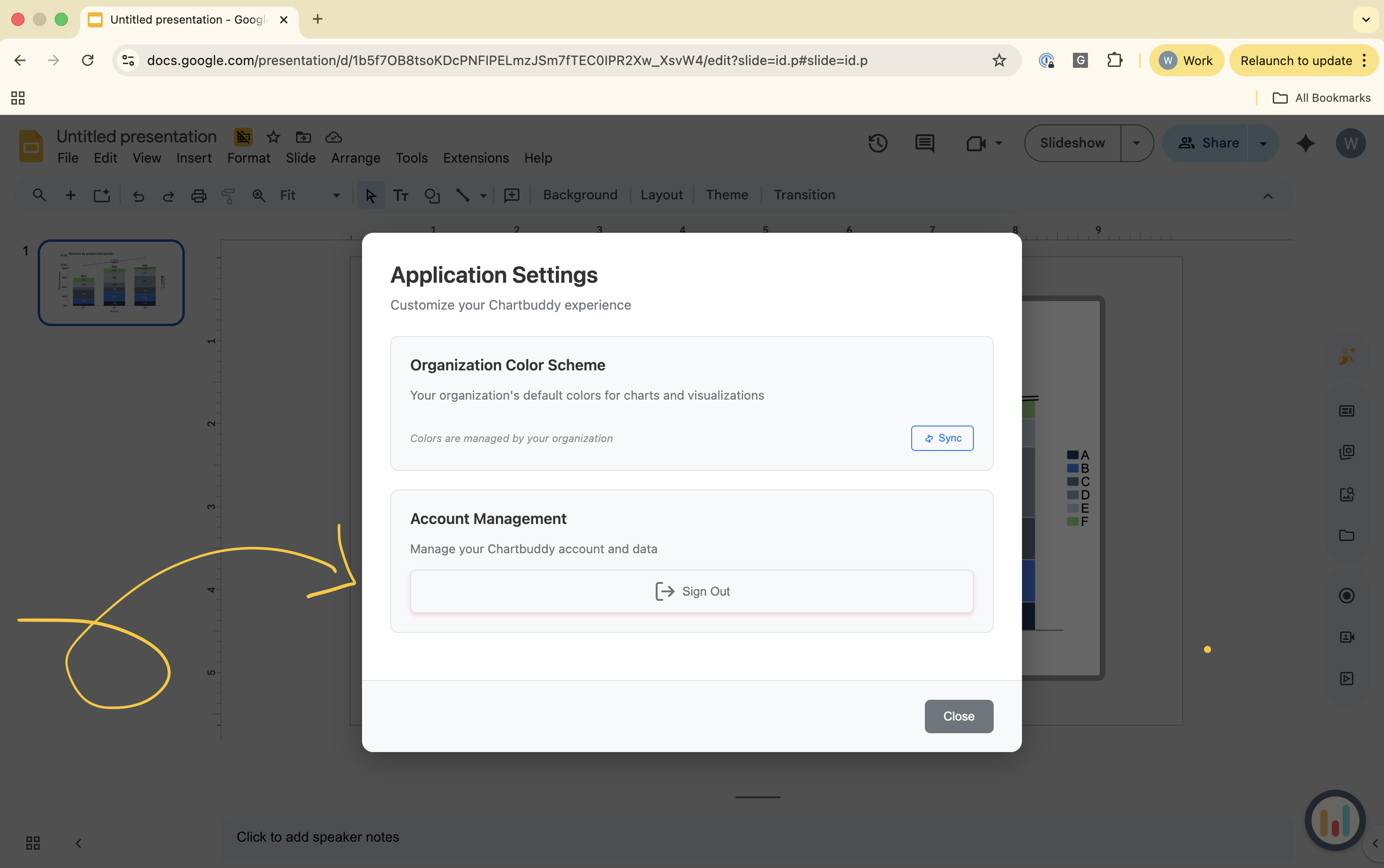
Step 2: Revoke access
Click Log out.
Then select Revoke access from all presentations.
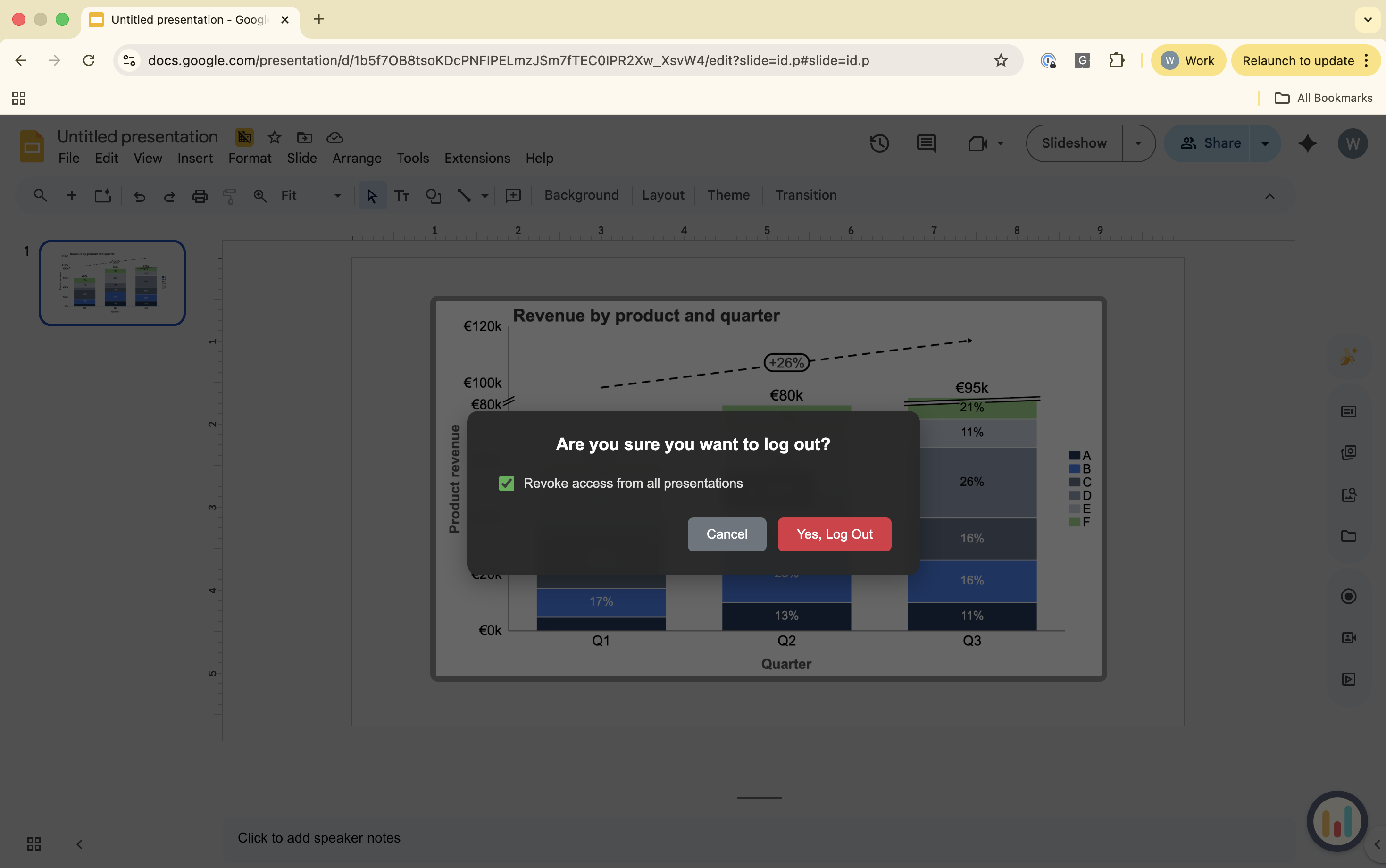
Access revoked
Chartbuddy will no longer have access to your Google Slides presentations. If you want to use Chartbuddy again in the future, you'll need to grant permission during the sign-in process.
Related
Learn how to grant Chartbuddy access to your presentations.