
Appearance
Microsoft Defender / SmartScreen
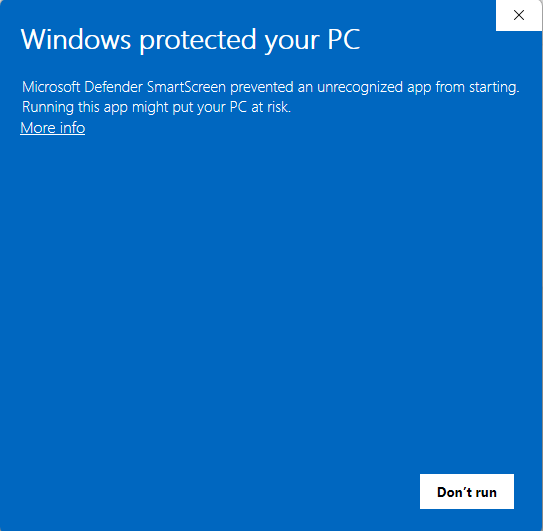
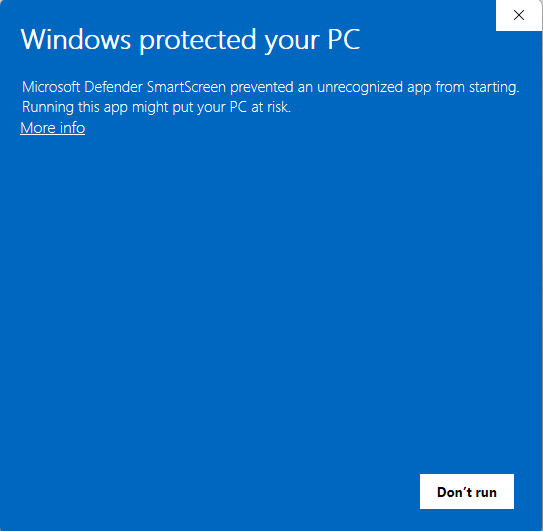
Microsoft Defender SmartScreen may show Windows protected your PC when you open the Chartbuddy Hub installer. That message is common for a newly published desktop app. It is not a virus finding.
Why it appears
Chartbuddy became a Microsoft developer in mid 2026. SmartScreen treats new publishers with extra caution until an app builds reputation, so this prompt is Microsoft being careful, not a malware result.
The installer is signed by Chartbuddy B.V. As more people install Hub from that publisher, the message should become less prevalent.
How to continue
- In the blue Windows protected your PC window, select More info.
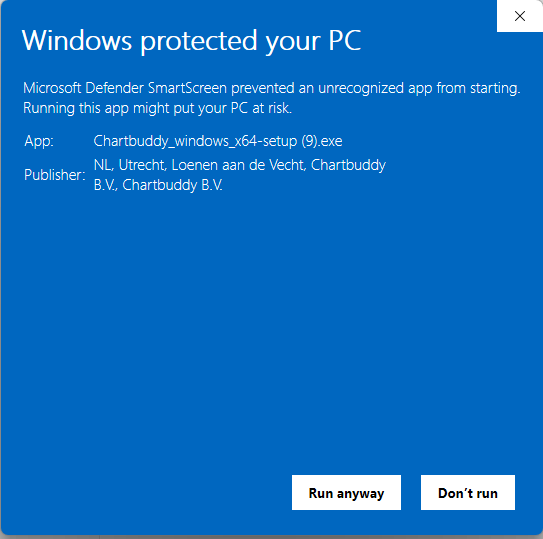
- Check that the Publisher is Chartbuddy B.V.
- Select Run anyway.
- Finish the setup wizard, then sign in with your existing Chartbuddy account.
If the publisher is missing, different, or Windows says the signature is invalid, do not continue. Delete the file and contact us.
Further notes on Microsoft Defender
Microsoft's own documentation confirms this is a reputation check, not a malware detection.
On how downloaded files are evaluated, Microsoft states that SmartScreen determines whether a downloaded app is potentially malicious by "checking downloaded files against a list of files that are well known and downloaded frequently. If the file isn't on that list, Microsoft Defender SmartScreen shows a warning, advising caution." (Microsoft Defender SmartScreen overview)
On reputation specifically: "If a URL, a file, an app, or a certificate has an established reputation, users don't see any warnings. If there's no reputation, the item is marked as a higher risk and presents a warning to the user." (Microsoft Defender SmartScreen overview)
Microsoft's developer guidance describes exactly this situation for a newly signed app: "Users may see a SmartScreen prompt indicating the app is unrecognized. For signed apps, the publisher name is displayed. Users should proceed only after verifying the source." It adds that "SmartScreen reputation builds up automatically. The prompt will stop appearing once the file hash has sufficient download history. There is no exact threshold, but it can take several weeks and hundreds of clean installs from a wide audience." (SmartScreen reputation for Windows app developers)
Next
Back to the Windows install steps.