
Appearance
Line
A Line chart draws one line per series over an ordered axis, such as months, quarters or years. It shows trends and turning points better than bars, and it stays readable with many categories.
When to use it
- Monthly revenue or users over two or more years.
- A metric against its target over time.
- Several series whose trend matters more than their exact values.
For a few categories that are not in a natural order, a Clustered Bar is usually clearer.
Create one
- Click the Chartbuddy button on the slide, then Create chart.
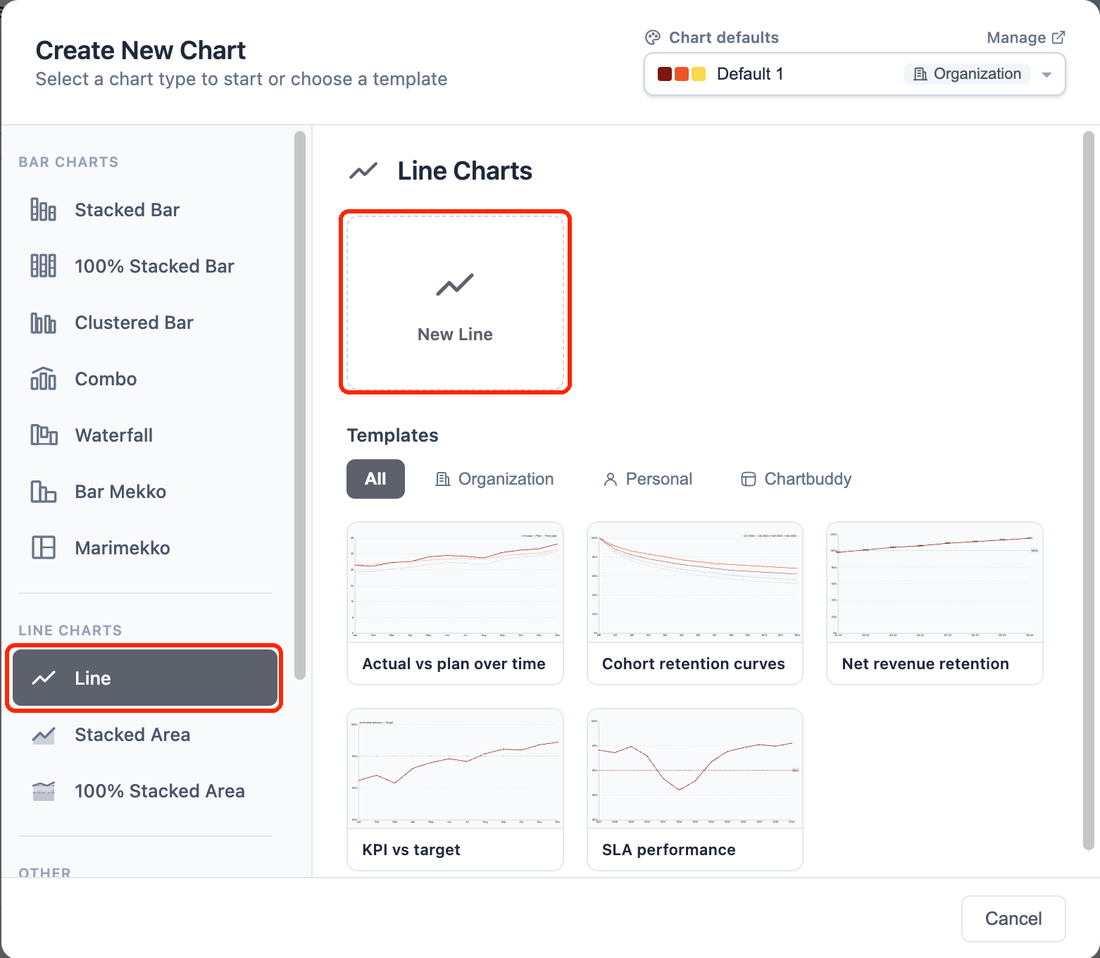
- In Create New Chart, click Line under Line Charts.
- Click New Line, or pick a template under Templates.
Data layout
The first column holds the categories along the axis, each column after it is a line with its name in the first row.
| Series 1 | Series 2 | |
|---|---|---|
| Q1 | 10 | 15 |
| Q2 | 20 | 10 |
| Q3 | 15 | 25 |
| Q4 | 25 | 20 |
Lines and points
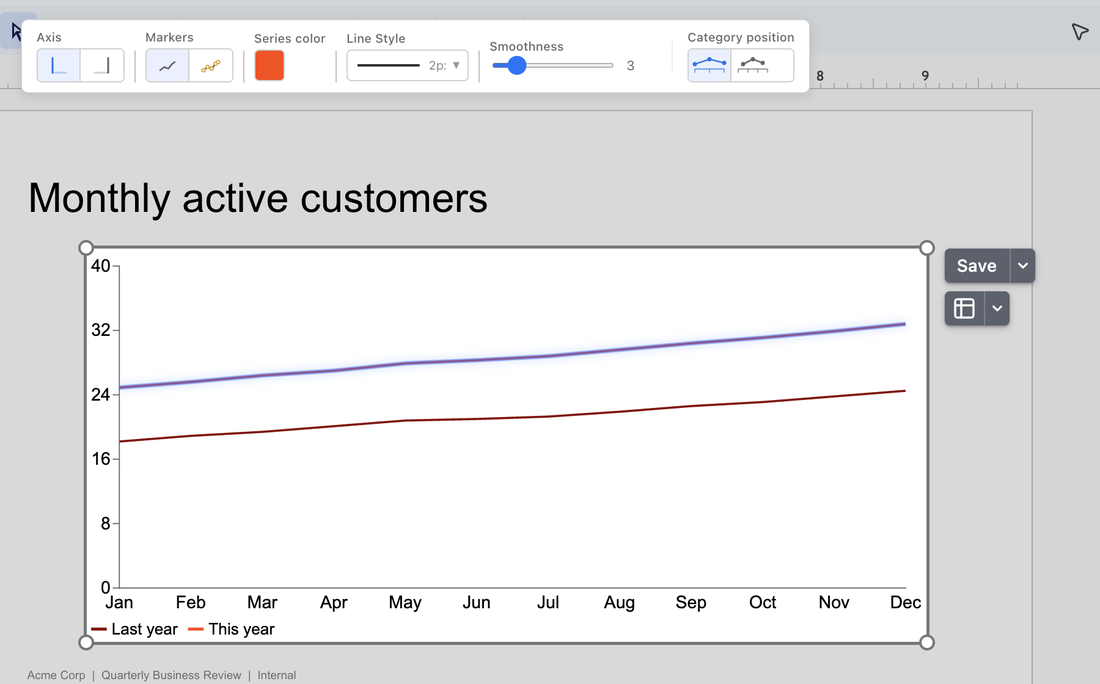
Click a line. The toolbar shows Line:
- Axis puts the line on the main or the second value axis (for example Left axis or Right axis).
- Markers shows or hides a marker at each point (Show markers, Hide markers).
- Series color sets the colour of the line.
- Line Style sets the width and dash of the line.
- Smoothness rounds the line between points.
- Category position, as on the category labels.
Select several lines first to change them together. Right-click a line for Show points for this series and Show data labels for this series. With several lines selected, the menu offers Show points and Show data labels for all of them.
Options
Click an empty part of the chart for Chart Settings: Chart type, Manage Series, Orientation (Vertical line or Sideways line) and Quick style.
Tips
- Put a second measure on the Right axis only when the units differ; two scales on one chart need clear axis titles. See Axes and gridlines.
- A level line marks a target, and a shaded region marks a period such as a forecast.
Related
- Stacked Area – stacked series over time
- Combo – lines with bars
- Right-click menus – the line and point menus