
Appearance
Quick style
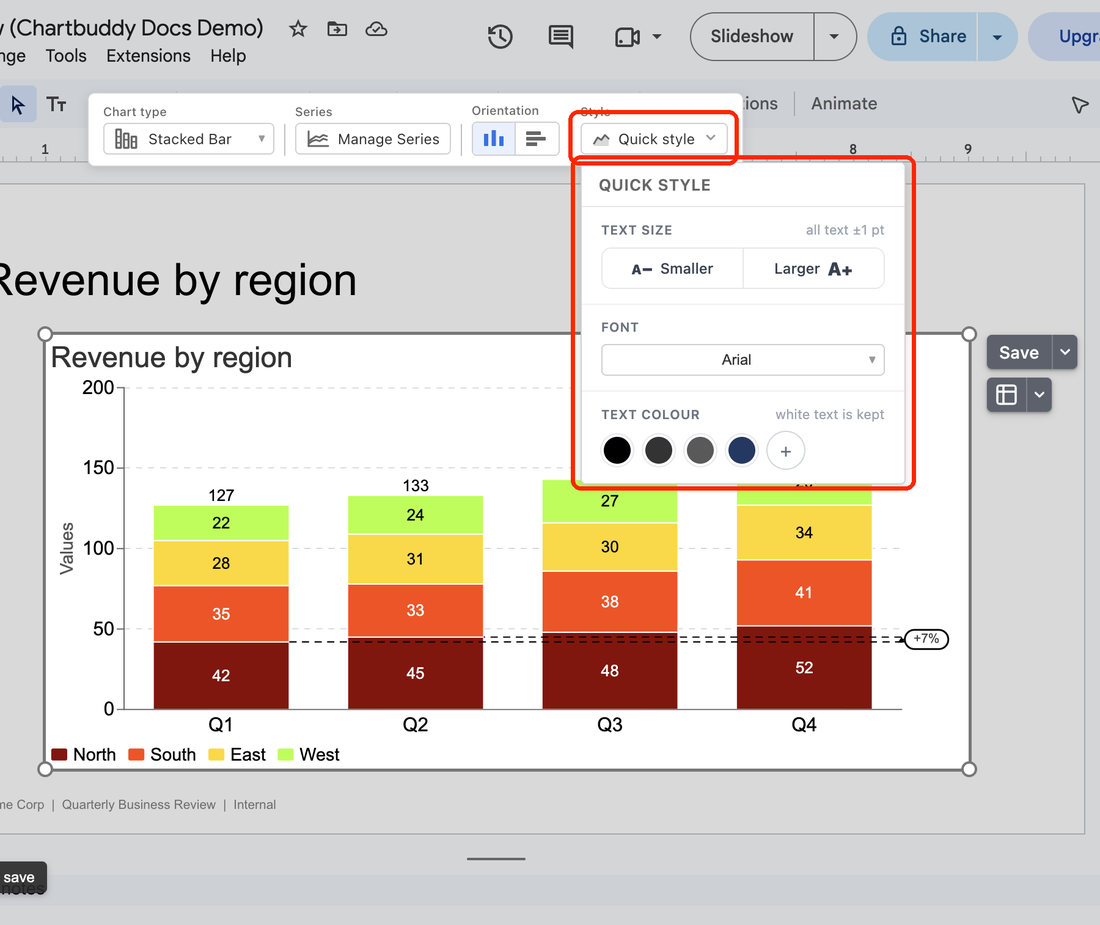
Quick style changes all text on a chart in one step: its size, font or colour. Use it to match a chart to a deck without selecting every label.
Apply a quick style
- Click an empty part of the chart so nothing is selected.
- In the toolbar, click Quick style (under Style).
- Change what you need:
- Text size: Smaller or Larger makes all text 1 pt smaller or larger, between 6 and 96 pt.
- Font: one font for all text, from your organization's fonts and the standard fonts.
- Text colour: Black, Dark grey, Grey, Navy, or Other colour for any colour. White text, such as labels inside dark bars, stays white.
Each change is one step you can undo.
Related
- Fonts and text – format one label at a time
- Chart defaults – the style a new chart starts with