
Appearance
Organization fonts and colours
Your organization's fonts and colours come from your Chartbuddy account and show up in the extension's font menus and colour pickers. They load when you sign in; you do not set them in the extension.
Organization fonts
Every Font menu (in the toolbar and in Quick style) lists the Google fonts your organization imported together with the standard fonts, in alphabetical order. New text uses the font of your first chart defaults set.
Fonts are imported on the dashboard under Charts with Import a Google font, and then show up for everyone in the organization. Who may do that is the organization setting Who can change templates, chart defaults, fonts and colours: Only admins, Everyone or Admins and people you choose. See Organization in the Hub docs.
Organization colours
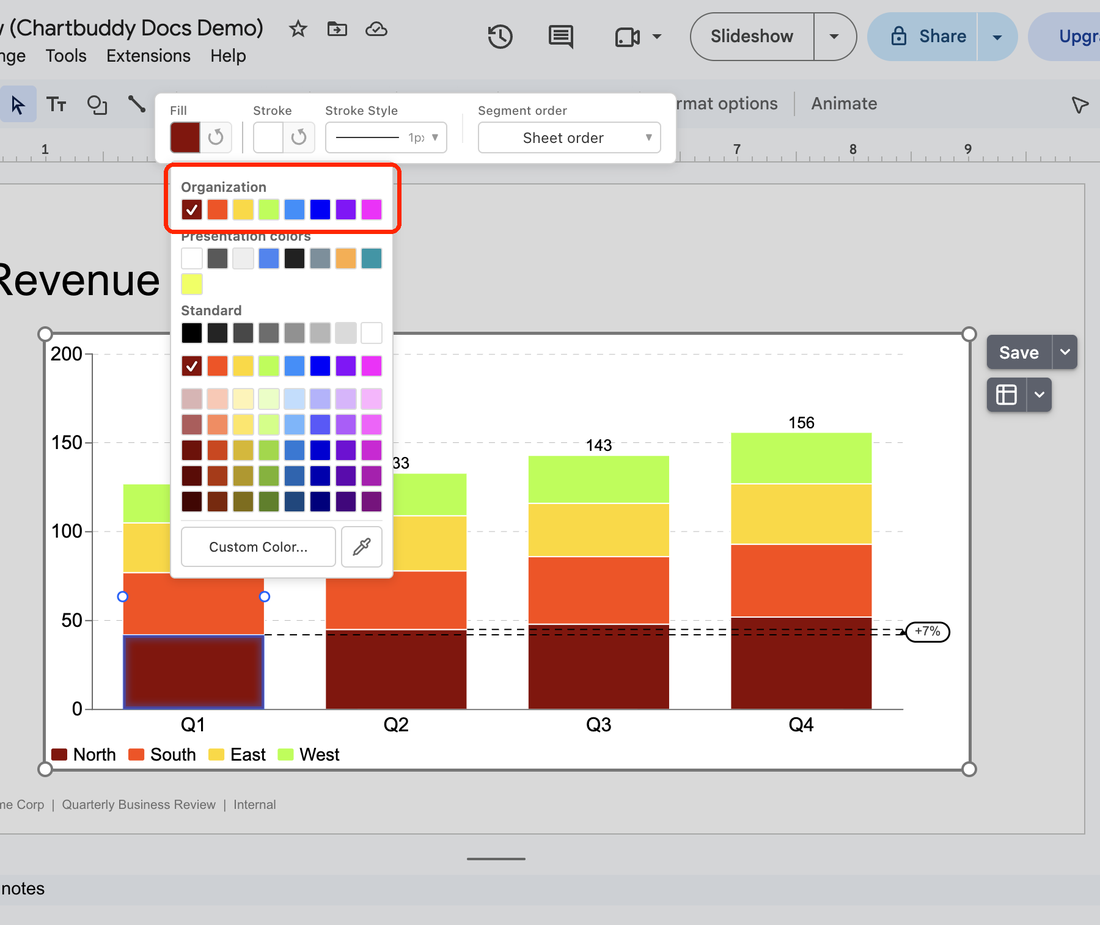
The colour picker has an Organization section with the colours of your first chart defaults set. To change them, change that set (see Chart defaults).
Related
- Colours and fill – the colour picker's sections
- Chart defaults – where the colours come from