
Appearance
Toolbar controls
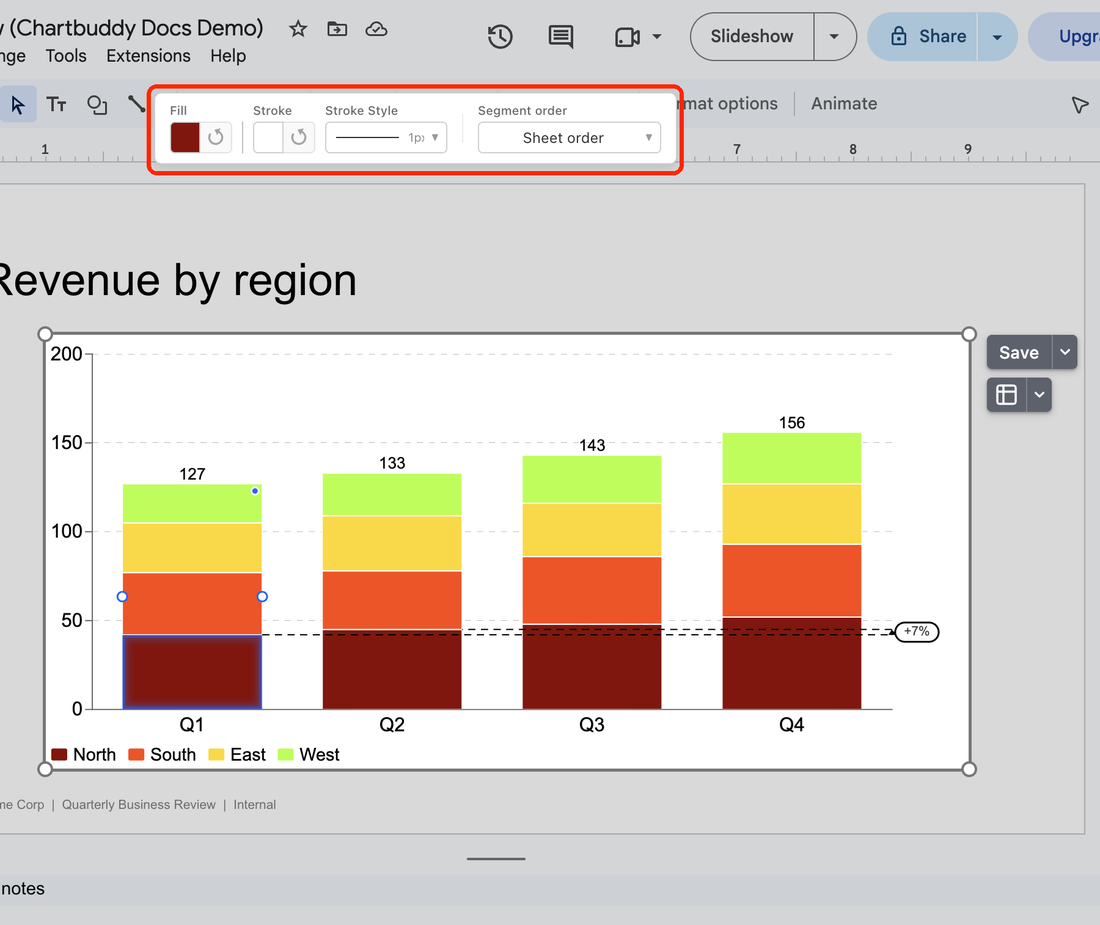
Select part of a chart in the editor and a toolbar appears next to it with the settings for that part. This page lists which controls you get for each kind of selection, with a link to the page that explains them. Labels are the ones in the toolbar.
Controls by selection
| You select | Toolbar controls | Explained on |
|---|---|---|
| Bars, columns or Mekko segments | Fill, Stroke, Stroke Width, Stroke Style, Corner Radius; Series Options and Column types (chart settings); Segment order in stacks; Bar Order in Bar Mekko; total columns in Waterfall | Colours and fill, Stacked Bar, Bar Mekko, Waterfall |
| Lines | Series color, Line Style, Smoothness, Shadow, Markers, Axis | Line |
| Line points | Shape, Size, Fill, Stroke of the marker | Line |
| Areas | Fill color, line and points, Segment order | Stacked Area |
| Pie or donut slices | Fill and outline, Explode, centre text, slice labels (Display type, Visibility threshold) | Pie, Donut |
| Scatter or bubble points | Fill and outline, Connect points (Line Style, Line Width), point labels | Scatter Plot, Bubble |
| Data labels, total labels | Font and text (Font, Font size, Font Weight, Style), Number format | Data labels and totals, Number formats |
| Axis labels | Font and text, Number format or Date format, Label position, Category position, Overflow strategy | Axes and gridlines, Label overflow, Date formats |
| Axis line | Color, Width, Position | Axes and gridlines |
| Gridlines | Color, Line Style | Axes and gridlines |
| Axis break | Break Style, Coverage | Axis breaks |
| Legend | Legend layout, font and text | Legends |
| Size key (bubble) | Size key settings, font and text, Number format | Bubble |
| Titles, text boxes | Font, Font size, Style, Color; maximum lines (longer text ends with "…") | Fonts and text, Titles and text boxes |
| Difference arrows, CAGR, level arrows | Shape, Direction, Line Style, Color, Size, Label, Display; for the label: font and Number format | Annotations |
| Level lines | Line and label settings | Level arrows and lines |
| Shaded regions | Shading settings | Shaded regions |
| Waterfall connectors | Color, Line Style | Waterfall |
With several parts selected, the toolbar shows the controls they share, and a change applies to all of them.
Related
- Right-click menus – show, hide and add from the menu
- The editor at a glance – how selection works