
Appearance
PowerPoint, Excel and Word files
A project can hold PowerPoint, Excel and Word files. Hub opens them next to the chat, so you see every change the chat makes. You do not need Microsoft Office installed.
Create a file
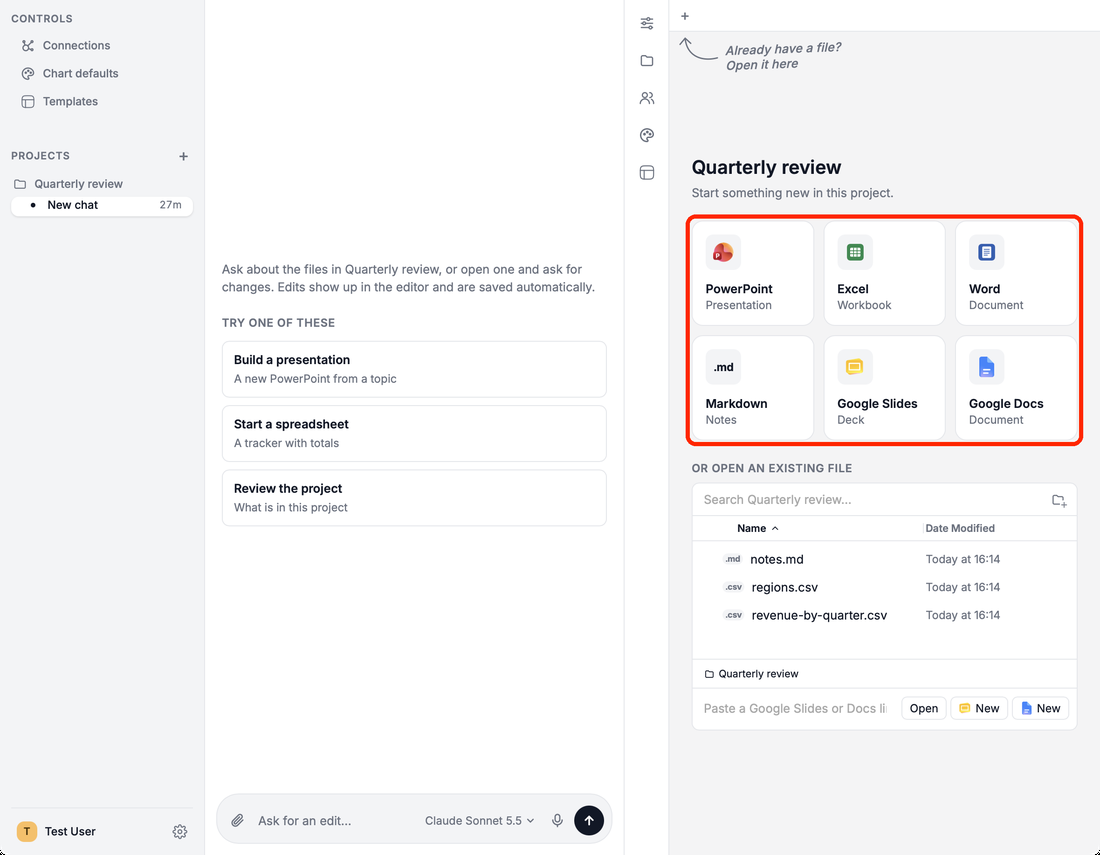
On the project start page, click a tile: PowerPoint, Excel, Word, Markdown, Google Slides or Google Docs.
Open a file
- Click it under Or open an existing file on the project start page. Search with the box at the top.
- PowerPoint (
.pptx), Excel (.xlsx), Word (.docx, also.doc,.odtand.rtf) and Markdown files open in Hub. Other files open in their usual app. - Drop files from Finder or File Explorer onto Files to copy them into the project.
- CSV files stay in the folder; the chat reads them when you ask about them.
Saving
Hub saves your edits on its own a moment after you stop typing (Saving soon…, Saved) and keeps a dated backup of the original. When Word would lose something it cannot edit, such as a chart, Hub saves to a copy instead and says so. Right-click a file tab and choose Open in app to open it in PowerPoint, Excel or Word.