
Appearance
AI credit
Hub's chat, Chartbuddy AI, is paid from your organization's prepaid AI credit. AI apps you connect over MCP don't use it. An admin has to turn on AI first.
Balance and top-up in Hub
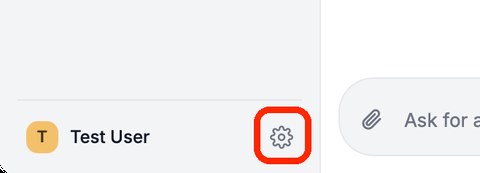
Click the gear at the bottom of the sidebar and open AI credit.
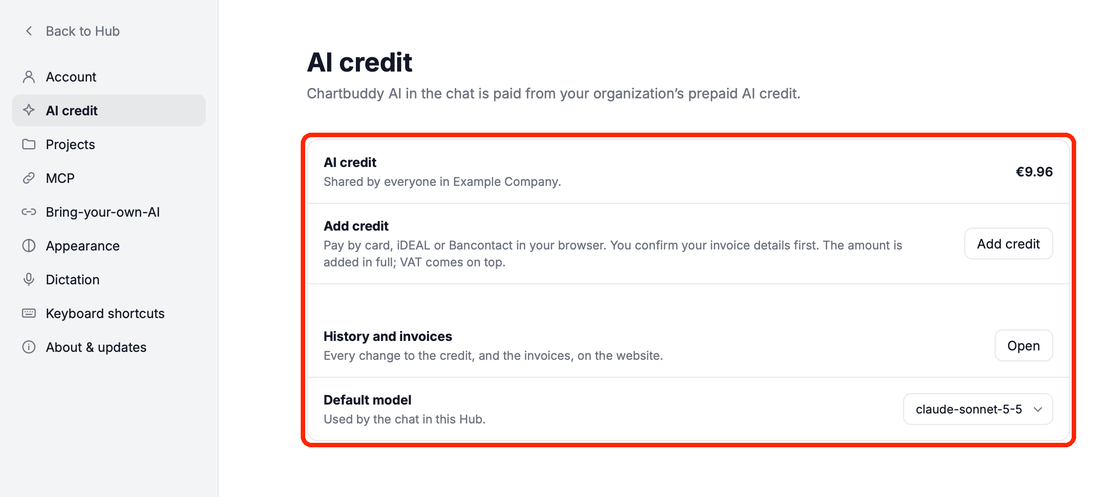
- AI credit is shared by everyone in your organization. Each answer is deducted as it happens.
- Add credit (admins only) pays by card, iDEAL or Bancontact in your browser. Members see Ask an admin, which emails your admins.
- History and invoices opens the dashboard, with every change to the credit and the invoices.
- Default model sets the model the chat starts with.
When the credit runs out, the chat says You're out of AI credit. with an Add credit button. Credit expires after 12 months without use.
What is spent
The AI credit page on the dashboard shows where the credit goes:
- Spent this month and the Last 30 days, with the number of calls
- Usage, last 30 days: the cost per model and per person
- Download this month (CSV) for your own reporting
- AI credit history: every top-up and deduction, with the balance after it
To add credit there, admins enter an amount under Add credit. Set your billing country in the organization's Settings on the dashboard first, so the invoice has the right VAT.